





Mastering Interview With Clueiva AI...
Discover what you need for a job interview with our essentia
Clueiva brings intelligent AI conversations directly to your desktop with a stunning glass morphism interface. Experience seamless chat interactions with advanced AI models in a beautiful, modern desktop application.
A working microphone is required for real-time transcription features.


How does Clueiva stay undetectable?
Joins as an invasive participant
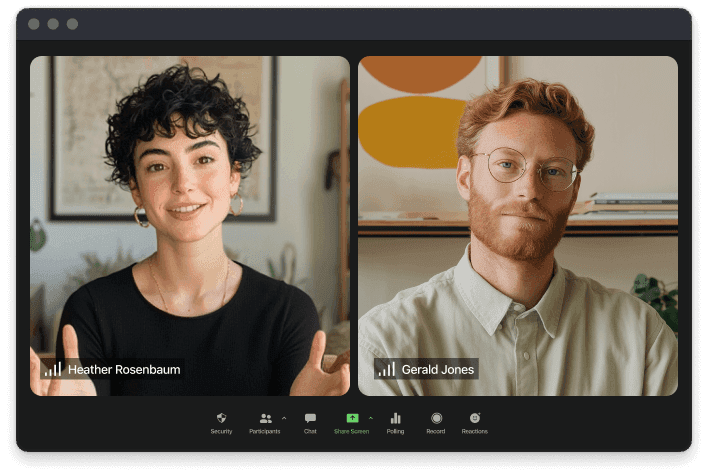

Undetectable to screen share, visible to you
Meeting notes are being captured invisibly...
Master your workflow with powerful keyboard commands. All shortcuts work globally — no need to focus the app window.
8 shortcuts available
Sends transcription/input to AI
Opens/closes chat input field
Clears conversation, starts fresh
Creates new chat session
Toggles app window visibility
Takes screenshot for context
Scrolls AI response up
Scrolls AI response down
Start with 2,000 Flow words each month, or choose a paid plan when you need more.
Upskill with curated courses on AI, development, and technology. Learn at your own pace from industry experts across India and beyond.
Build powerful AI agents from scratch. Master LangChain, LangGraph, RAG, MCP, prompt engineering, and deploy production-ready LLM applications.
Learn advanced techniques to craft effective prompts and unlock the full potential of ChatGPT, Claude, and other AI assistants.
Coming SoonBuild modern, scalable web applications from front to back using React, Node.js, Express, and MongoDB.
Coming SoonFree courses available · No credit card required
Find answers to common questions about Clueiva and how our AI-powered desktop assistant can transform your workflow.
Clueiva uses an undetectable mode that can be toggled using the eye icon. When enabled, the overlay becomes invisible to screen sharing software while remaining visible to you.
No - all keyboard shortcuts work globally. You can use Clueiva's features from any application without needing to switch focus to the Clueiva window.
You can move the overlay by clicking and dragging the handle. Alternatively, use Ctrl + Arrow keys for precise positioning using your keyboard.
Yes - you can use Clueiva entirely with text input. Press Ctrl+Shift+Enter to open the typing interface instead of using voice commands.
Yes - all your conversations are automatically saved and stored locally. Each conversation includes AI-generated summaries for easy reference and quick retrieval.
Clueiva is developed by Bitidea Technologies Pvt Ltd, a Bangalore-based startup building AI-native productivity tools. We're on a mission to make artificial intelligence a seamless, invisible layer in every professional's daily workflow.
From a high-performance Rust backend to a native desktop client with glass morphism UI, we engineer every layer of the stack to deliver real-time AI assistance that just works.
Learn More About UsGet the latest updates on new features, tips, and exclusive content delivered straight to your inbox.
Stay updated with the latest insights, tips, and news about AI technology and productivity enhancements.
Discover what you need for a job interview with our essentia